
Before starting, it’s important to manage flight control settings that reduce the impact of abrupt movements; however, excessive adjustments may lead to unintended negative effects.
Gentle and smooth flight control movements is highly recommended. Developing this muscle memory, which is a valuable skill, can often eliminate the need for the settings below and well worth the effort.
Below are important settings that must be considered in Clipboard > Preferences > Flight.
“Enable Stall Limiter”
This option limits the elevator authority to prevent the aircraft from entering a stall condition, depending on the checked Stall Limit Enabled box in the Arena Settings FlightModeFlags.
Note: using this option is intended for training purposes and will reduce your maximum turning performance.
“Auto Combat Trim”
The option automatically adjusts the trim tabs to the airspeed, though the adjustment is not precise. Some players tend to prefer setting it manually as needed.
Advanced Settings
In this section of the game, you can finely adjust your joystick and customize its behavior to your preference. This feature is accessible when the Advanced box is selected in the Map Controllers option.
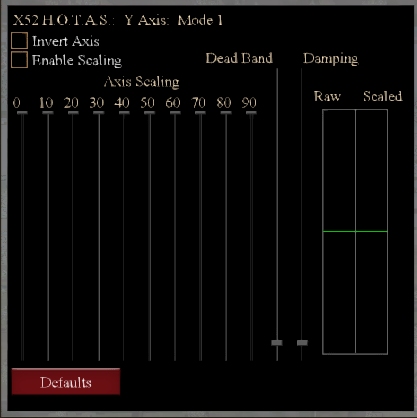
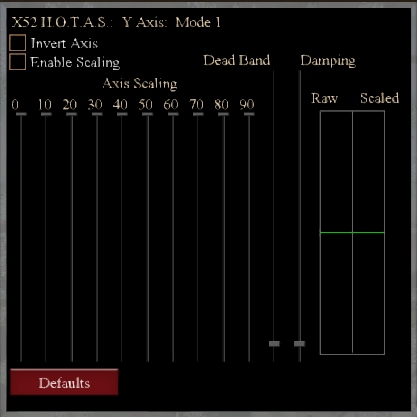
Two graphs on the right side of the screen.
Raw
The left side window displays the current raw input from the selected joystick axis.
Scaled
The right side window displays the impact of scaling on the selected axis input.
“Adjusting each axis of the stick to reflect your style of usage is crucial for proper flying, as every stick is unique even within the same model/brand.” – HiTech Creations
Enable scaling
This option allows the game to scale the input from the joystick axis. If unchecked, the game uses raw input from the stick. Some sticks may require fine tuning, if so it’s recommended to check this option to allow the game to alter the input of the stick axis.
Axis Scaling
The joystick scaling sliders enable you to adjust the response curve of your joystick, with each slider representing a percentage of your joystick’s movement versus the desired input for the game. When all sliders are at maximum, a linear response curve is achieved.
“It is recommended that you avoid setups that make large jumps in adjacent columns. For example, if the rudder axis is selected and you move the 50% slider halfway down, when you deflect your rudder pedals 50% of their travel, your rudder will only move 25%.“ – HiTech Creations
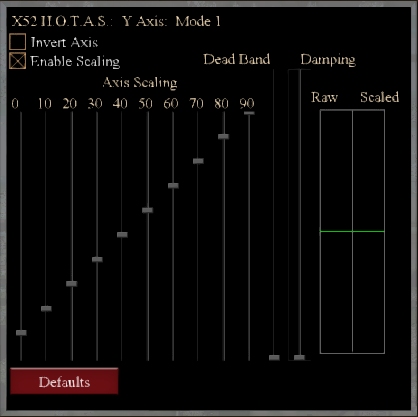
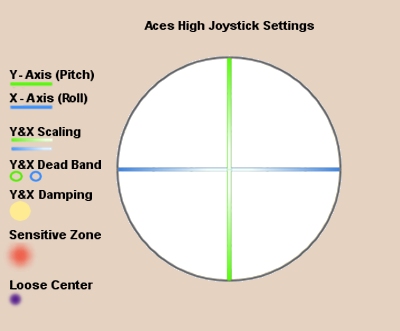
Dead Band
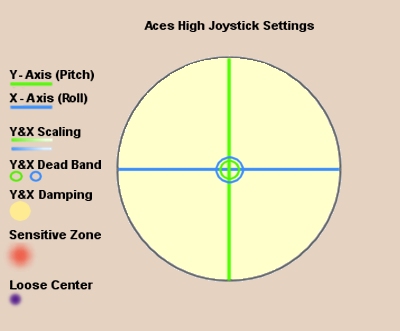
This slider adjusts the amount of play allowed in the stick from dead center, using the analogy of adjusting the size of a circle around the stick. It also clarifies that the more dead-band, the larger the circle, and any stick motion inside of the circle will be ignored.
Some sticks can be very sensitive, so you can move the dead-band slider up to prevent inadvertent input. However, it’s important to be cautious, as a small adjustment can have a big effect.
“The best way to know if you have enough dead-band is to grasp your stick and try to hold it dead center. Adjust the dead-band until the lines in the upper blue chart do not move while you hold the stick.” – HiTech Creations
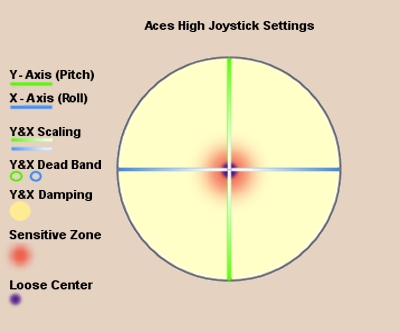
In this illustration, the Dead Bands for the Y and X axes are individually sized, but we will assume the same settings for both axes.
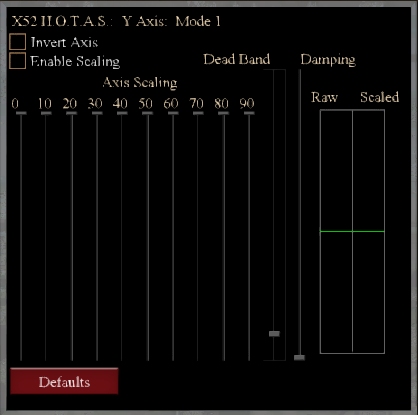
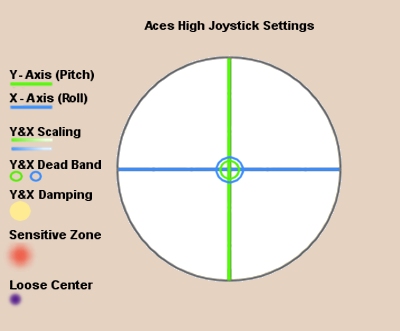
Damping
When moving the joystick quickly, the game will prompt you about it and you can use the damping slider to artificially slow down the joystick inputs. Raising the damping can reduce the effects of joystick spiking.
Damping impacts travel for each axis individually.
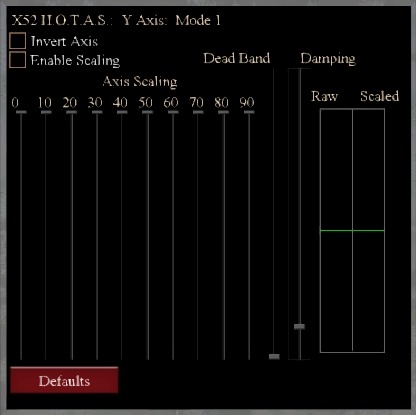
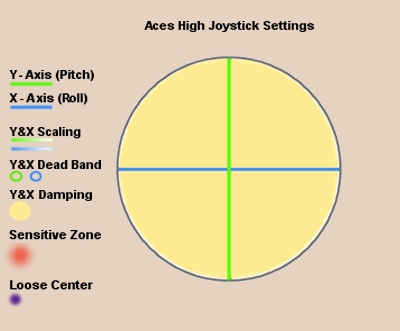
Example: Confronting joystick issues
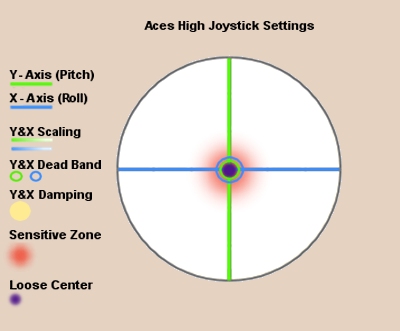
The 16-year-old Saitek X52 HOTAS Flight control’s gimbal spring has reduced tension, and the hall sensors are overly sensitive at the center. The gimbal mechanism is worn, resulting in loose movement and excessive nose bounce during Aces High gameplay.

The red shows sensitive area of stick travel.
First approach
This is an attempt to minimize the troubled areas by applying Dead Bands, Damping and Scaling.
Step 1

Step 2
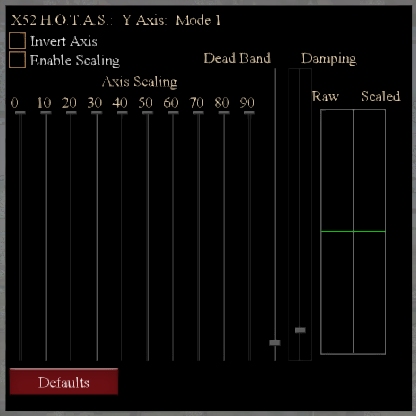
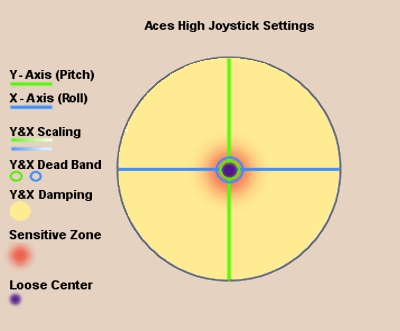
Step 3
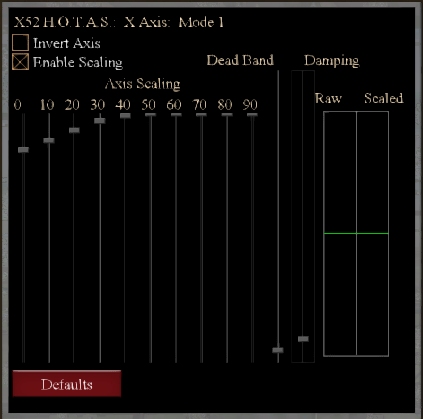
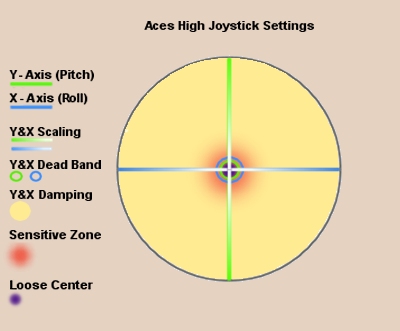
This method resolved most problems but led to over-steering from using different zones of the flight control stick.
Second approach
For this particular joystick this setup seems to have yielded better results.
Step 1

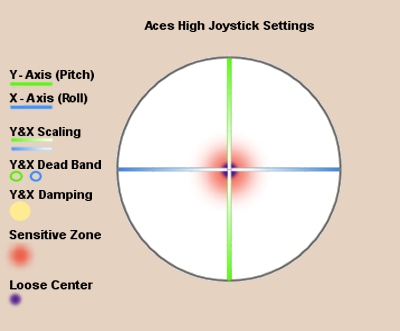
Y&X axis Dead Band and Damping sliders not used.
A small amount of damping was added to address minor spikes.
Step 2
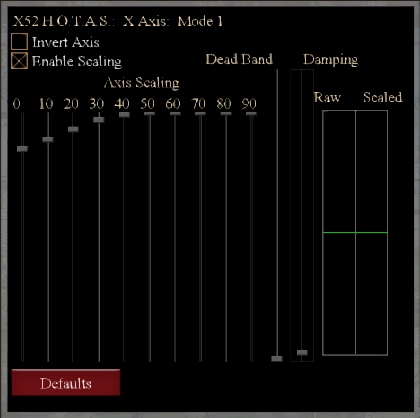
Result: Nose bounce is nearly gone, reducing over-steering and making aiming easier, though the worn loose center of the gimbal still affects it, albeit to a lesser degree.
Z axis (Rudder)
Many flight controllers with twist rudders are overly sensitive, activating unintentionally during turns, which can negatively impact aim. While not all sticks face this issue, it is common with twisty sticks and requires significant adjustments to resolve.
Scaling and Dead Bands prevent unwanted rudder activation, while damping reduces jerky movements.


End
 Aces High Tech Hangar